
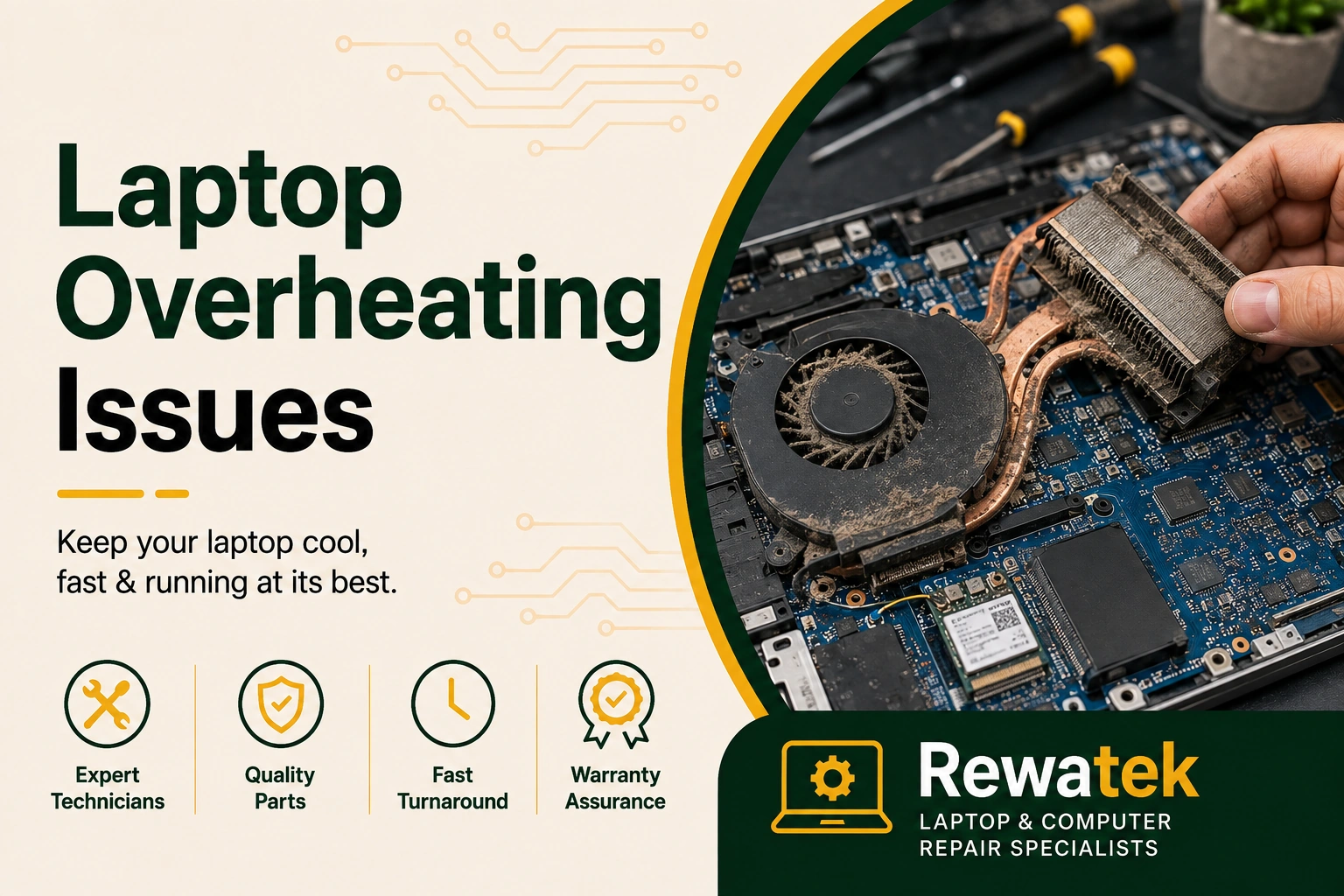
Laptop overheating problems can affect performance, battery life and everyday usability. A laptop that becomes unusually hot, runs its fan constantly, slows down or shuts down unexpectedly may have a cooling or thermal problem that needs attention.
Overheating can be related to blocked air vents, dust buildup, heavy workloads, poor airflow, a failing cooling fan or other internal hardware conditions. Identifying the cause early can help prevent performance problems and unexpected shutdowns.
Professional inspection can help identify whether excessive heat is caused by restricted airflow, dust, cooling fan problems or another internal issue.
Professional diagnosis can help determine the source of overheating before deciding on cleaning, cooling-system service or another laptop repair solution.
Common Laptop Overheating Problems
Laptop overheating can occur when the cooling system cannot remove heat efficiently. Problems may develop around the cooling fan, heatsink, air vents or other components responsible for managing internal temperature.
Dust accumulation can reduce airflow through the cooling system, while a cooling fan that is weak, noisy or not working correctly may reduce its ability to move heat away from the laptop's internal components.
Overheating can also be influenced by demanding software, prolonged heavy workloads, high surrounding temperatures or using the laptop on a surface that restricts ventilation.
Signs Your Laptop May Be Overheating
You may notice several warning signs when a laptop is running hotter than normal. These can include unusually warm surfaces, louder or continuous fan noise, reduced responsiveness, slower performance during normal use and unexpected shutdowns.
If these symptoms occur repeatedly, especially during tasks that previously worked normally, the laptop's cooling system should be checked to determine whether excessive heat is affecting its operation.
Excessive heat can cause the laptop to slow down during demanding work, gaming or multitasking.
Dust and blocked air vents can restrict airflow and reduce cooling efficiency.
A noisy, weak or failing cooling fan can contribute to rising internal temperatures.
Keeping cooling paths clear can help maintain more stable laptop performance.
Professional inspection can help identify whether cleaning, cooling-system service or another repair is appropriate.
How Laptop Overheating Is Checked
The inspection begins by identifying when the laptop becomes hot and whether the problem occurs during specific applications or workloads. The cooling fan, air vents and overall airflow can then be checked.
If required, the laptop can be inspected internally for dust accumulation and cooling-system issues. The appropriate service can then be selected based on the condition of the device rather than replacing parts unnecessarily.
Professional laptop overheating service can help identify cooling problems and determine whether cleaning, fan service or another repair solution is appropriate.
Common Causes of Laptop Overheating
Laptop overheating can have several possible causes. Dust buildup around the fan and heatsink can restrict airflow, while blocked ventilation openings can make it harder for heat to escape from the laptop.
A cooling fan that is noisy, weak or not operating correctly may also affect the laptop's ability to remove heat. In some cases, the thermal interface between cooling components may also require professional attention.
Heavy software workloads, high ambient temperatures and using a laptop on soft surfaces that block ventilation can also contribute to excessive heat.
Tips to Help Prevent Laptop Overheating
Keeping your laptop's ventilation openings clear can help maintain proper airflow and reduce excessive heat. Use the laptop on a hard, stable surface that allows air to circulate, and avoid covering the vents with blankets, cushions or other soft materials.
Keeping the operating environment reasonably cool and avoiding unnecessary heavy workloads can also help reduce heat. If the fan becomes unusually loud or the laptop repeatedly shuts down because of heat, professional inspection is advisable.
Regular attention to the cooling system can help maintain reliable performance and identify overheating problems before they become more difficult to resolve.
Laptop Overheating Repair in Bangalore and Nearby Areas
If you are looking for laptop overheating repair in Bangalore, professional inspection can help identify the cause of excessive heat and determine the appropriate solution for your laptop.
Whether the issue is related to dust, restricted airflow, cooling fan performance or another internal condition, the laptop should be assessed before deciding on the appropriate laptop repair or cooling service.
A proper inspection helps ensure that the recommended solution matches the laptop's condition and can help restore more reliable cooling and everyday performance.